
Security baselines for IT service providers: all customers, one portal
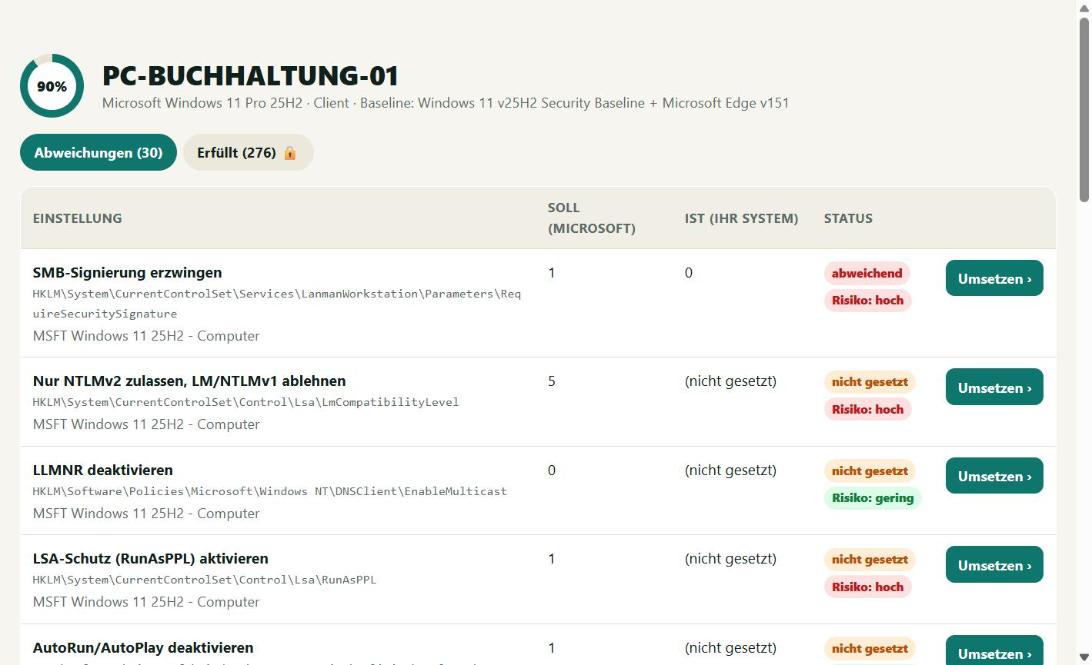
You look after many customers with Windows clients and servers? BestPractices Boost shows for every customer where the Microsoft best practices are not applied – and your team applies them with one click. Customers stay strictly separated.
Not a Microsoft product – we deal exclusively with the Microsoft best practices.
Multi-tenant from the start
Every customer gets its own agent key. Devices, audit reports and group policy exports are never mixed between customers. The overview can be filtered by customer, new deviations are visible immediately.
Your team works together
Several staff with their own login, history with user and time of every change, undo at any time. The Service provider plan includes at least 3 users (€29 per user, from €87 per month incl. VAT).
An extra service for your customers
Offer the security check as your own service: a regular audit report per customer as proof for insurers and management, hardening with one click or as group policy for domain customers.
Domain customers: group policies included
With the add-on "incl. group policies" (+€15 per user, from €132 per month) you export the best practices per customer as ready-made GPOs – one per role, imported via PowerShell.
FAQ
How many customers and devices are included?
Unlimited. Billing is only per staff member (user), at least 3.
Can I deploy the agent via RMM?
Yes. The agent can be installed silently (BestPracticesBoost.exe install) – via RMM, software deployment or group policy. It updates itself.
Is there a demo for service providers?
Yes – the demo shows sample devices, deviations, apply with undo and a sample audit report.
More topics
Check the Microsoft Security Baselines automatically: expected vs. actual for Windows 11, Windows Server 2016–2025, Edge and Microsoft 365 Apps – updated daily, fix deviations with one click. Security baseline as GPO ›
Export Microsoft best practices as ready-made group policies: one GPO per role, PowerShell import into the domain or locally via LGPO – with a warning about what stays set after removal. Audit report for insurers & NIS2 ›
Audit report as PDF: compliance with the Microsoft Security Baselines per device, deviations, applied changes and justified exceptions – with report number and publicly verifiable checksum. Current Microsoft Security Baselines ›
All currently loaded Microsoft Security Baselines with version and number of rules.
A must for every administrator and IT service provider.
Start the agent, view the result, apply best practices. It doesn't get any easier.