
Deploy the Microsoft Security Baseline as group policy
In a domain, security settings belong in group policies. BestPractices Boost detects which GPO sets a setting, locks local changes on conflicts and exports the missing best practices as ready-made GPOs – one per role, just like Microsoft.
Not a Microsoft product – we deal exclusively with the Microsoft best practices.
Which GPO overrides my setting?
The agent reads the group policies applied to the machine. For every setting you see whether it is set locally or which GPO it comes from. If an existing GPO enforces a deviating value, "Apply" is locked – the local change would be overwritten at the next gpupdate anyway. This view is available in all plans.
Export: one GPO per role
Choose a customer, a device or all devices, and as content the open deviations or the complete baseline. You get one GPO each for clients, member servers and domain controllers – with Registry.pol, security template (GptTmpl.inf) and advanced auditing (audit.csv), in the same format as the Microsoft Security Compliance Toolkit. Justified exceptions are left out.
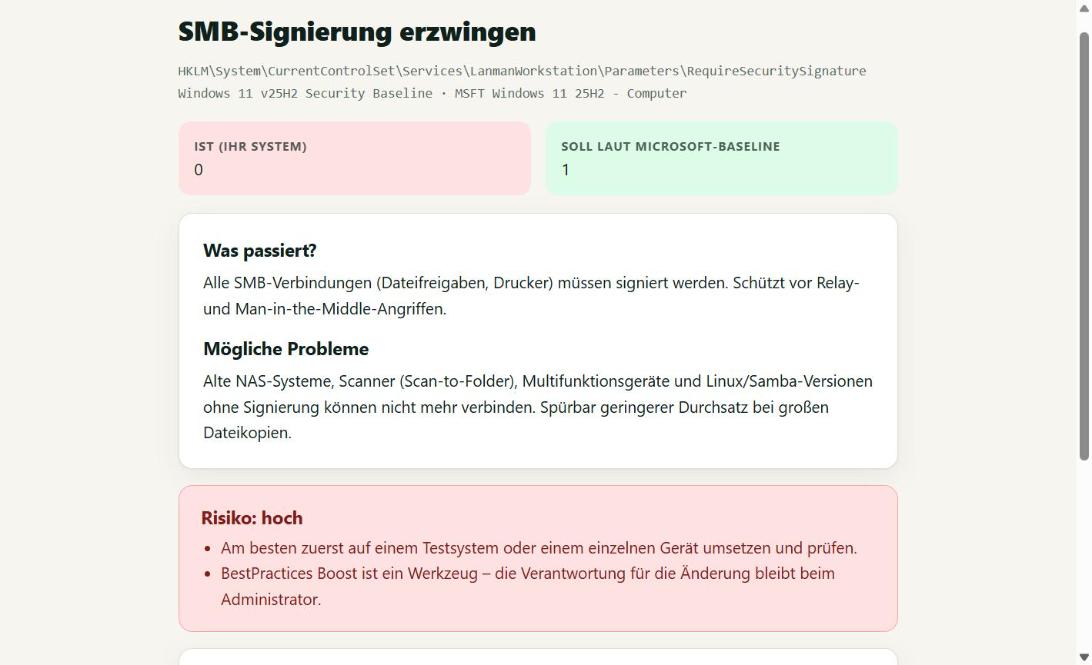
Import via PowerShell – unlinked, you decide
The included script creates the GPOs in the domain, disables the user configuration and links nothing unless you say so. Recommended WMI filters are shown. For machines without a domain the same script applies the matching GPO locally via LGPO.exe and backs up the local policy first.
Honest about undo
Removing a GPO link does not undo everything: security policies, user rights, auditing and registry values outside …\Policies stay set on the machines. BestPractices Boost counts these settings in the preview and marks each one in the included list.
FAQ
What does the group policy export cost?
The add-on "incl. group policies" costs €15 per user per month extra (incl. VAT): Admin €64 per month, Service provider from €132 per month (min. 3 users). It can be cancelled monthly.
Do I need the Security Compliance Toolkit?
Not for the domain import – Group Policy Management (GPMC) is enough. Only for machines without a domain you need LGPO.exe, which Microsoft provides free of charge in the Security Compliance Toolkit.
Are my existing GPOs changed?
No. New GPOs are created; existing ones stay untouched. If a GPO with the same name already exists, it is skipped.
More topics
Check the Microsoft Security Baselines automatically: expected vs. actual for Windows 11, Windows Server 2016–2025, Edge and Microsoft 365 Apps – updated daily, fix deviations with one click. Audit report for insurers & NIS2 ›
Audit report as PDF: compliance with the Microsoft Security Baselines per device, deviations, applied changes and justified exceptions – with report number and publicly verifiable checksum. For IT service providers (MSP) ›
For IT service providers: check and apply Windows hardening for all customers according to the Microsoft Security Baseline – customers kept separate, agent key per customer, audit reports as an extra service. From €87 per month. Current Microsoft Security Baselines ›
All currently loaded Microsoft Security Baselines with version and number of rules.
A must for every administrator and IT service provider.
Start the agent, view the result, apply best practices. It doesn't get any easier.